#Models

    Benefit from the latest Apple M4 silicon

    Mac mini M4 servers are ideal for cloud-based build and test environments. The Mac Studio M4 Max delivers serious GPU power for ML and rendering workloads.

    Apple Mac mini M4 servers

    The latest Apple technology delivered in various configurations. Ideal for native macOS testing.

    • 10-core CPU
    • 16-core Neural Engine
    • 10-core GPU
    Apple M4 · 16 / 512 hosted Mac mini — 10-core CPU, 16 GB unified memory, 512 GB NVMe, top view of the silver aluminium chassis

    M4 · 16 / 512

    16 GB

    RAM

    512 GB

    NVMe SSD

    • 10-core CPU
    • 1 Gbit/s + public IP

    110/mo

    Apple M4 · 24 / 512 hosted Mac mini — 10-core CPU, 24 GB unified memory, 512 GB NVMe, top view of the silver aluminium chassis

    M4 · 24 / 512

    24 GB

    RAM

    512 GB

    NVMe SSD

    • 10-core CPU
    • 1 Gbit/s + public IP

    180/mo

    Apple M4 · 16 / 2TB hosted Mac mini — 10-core CPU, 16 GB unified memory, 2 TB NVMe, top view of the silver aluminium chassis

    M4 · 16 / 2TB

    16 GB

    RAM

    2 TB

    NVMe SSD

    • 10-core CPU
    • 1 Gbit/s + public IP

    210/mo

    Apple M4 · 24 / 1TB hosted Mac mini — 10-core CPU, 24 GB unified memory, 1 TB NVMe, top view of the silver aluminium chassis

    M4 · 24 / 1TB

    24 GB

    RAM

    1 TB

    NVMe SSD

    • 10-core CPU
    • 1 Gbit/s + public IP

    215/mo

    #Compare

    Compare all M4 configurations

    Same 10-core Apple M4 CPU across every plan. Pick the right balance of RAM, storage and monthly price for your workload.

    M4 · 16 / 512

    10-core CPU

    110
    /mo
    RAM
    16 GB
    Storage
    512 GB

    M4 · 16 / 1TB

    Popular

    10-core CPU

    155
    /mo
    RAM
    16 GB
    Storage
    1 TB

    M4 · 24 / 512

    10-core CPU

    180
    /mo
    RAM
    24 GB
    Storage
    512 GB

    M4 · 16 / 2TB

    10-core CPU

    210
    /mo
    RAM
    16 GB
    Storage
    2 TB

    M4 · 24 / 1TB

    10-core CPU

    215
    /mo
    RAM
    24 GB
    Storage
    1 TB
    #Interactive compare

    Build your own comparison

    Pick up to 3 configurations, adjust RAM and storage per column, and see the monthly price and 3-month total update live.

    M4 · 16 / 1TB
    Mac mini M4 · 10-core CPU
    Monthly155/mo
    Total (3 mo)465
    Storage-first pick

    Same CPU as the entry model, double the SSD for DerivedData, simulators and Docker images.

    Everyday buildsRoomy storage
    M4 · 16 / 512
    Mac mini M4 · 10-core CPU
    Monthly110/mo
    Total (3 mo)330
    Best entry point

    Ideal for a single Xcode runner, small iOS/macOS CI queues or a personal remote Mac.

    Everyday buildsCompact SSD
    Real Apple hardware

    No virtual machines, no shared cores

    Every server is a genuine Apple Mac mini, racked in our Dutch data centres on dedicated power and 1 Gbit/s uplinks.

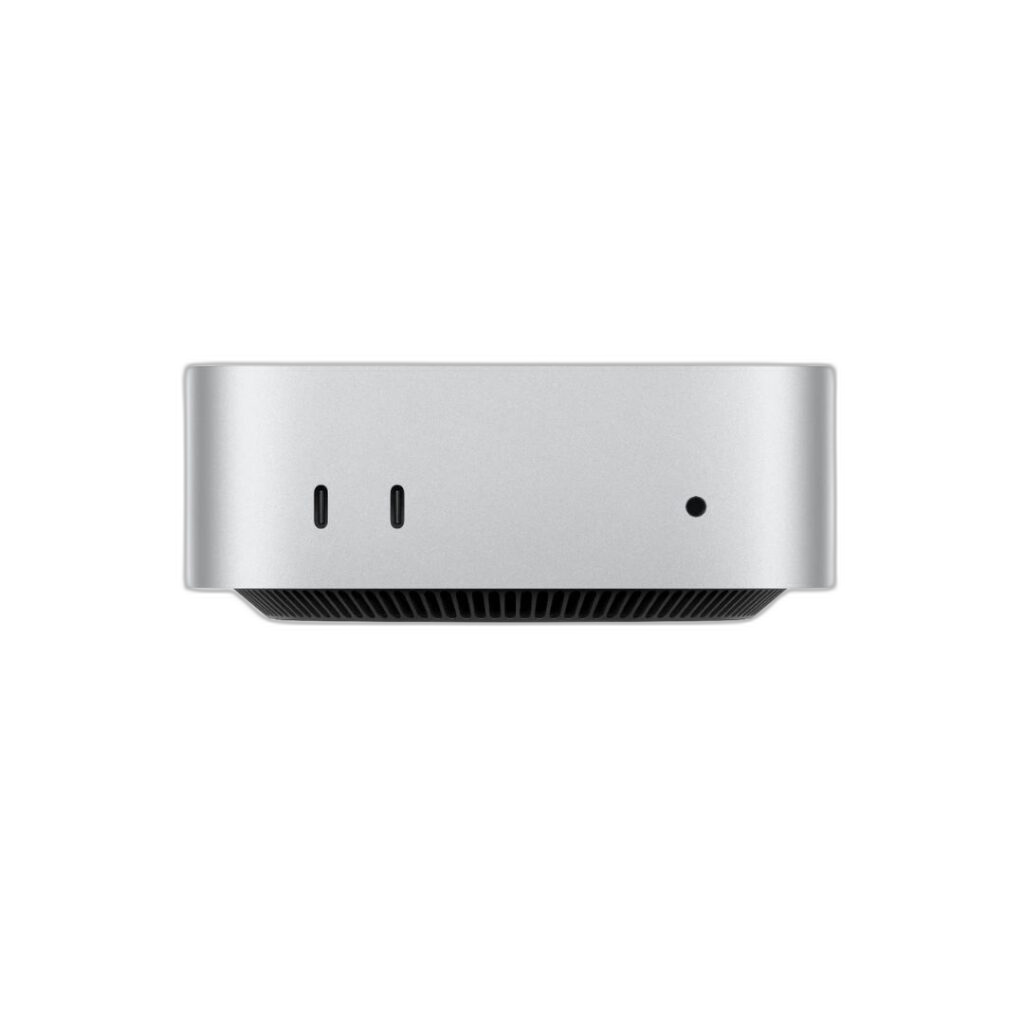
    Apple Mac mini M4 — front view of the silver chassis showing the power LED and 2× Thunderbolt 4 / USB-C ports
    Front · 2× Thunderbolt 4 / USB-C
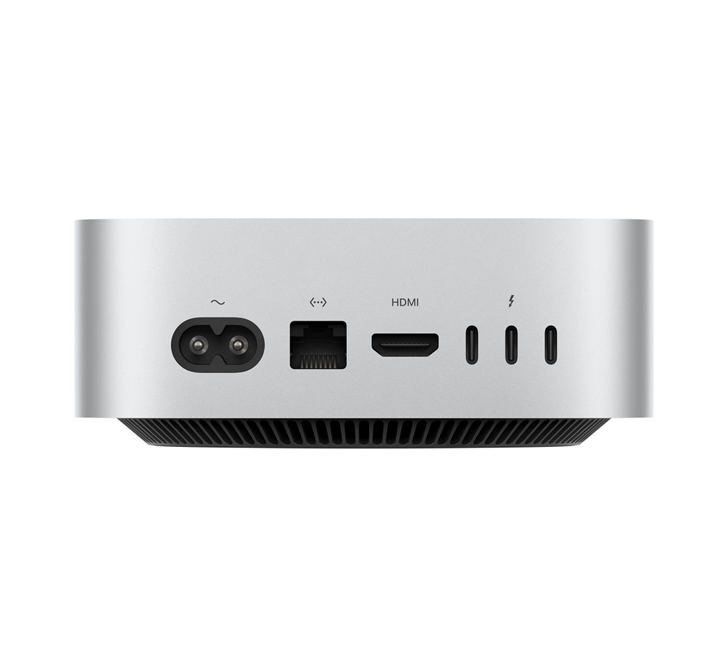
    Apple Mac mini M4 — rear view showing HDMI, Gigabit Ethernet and 3× Thunderbolt 4 ports next to the power inlet
    Rear · HDMI · Gigabit Ethernet · 3× Thunderbolt
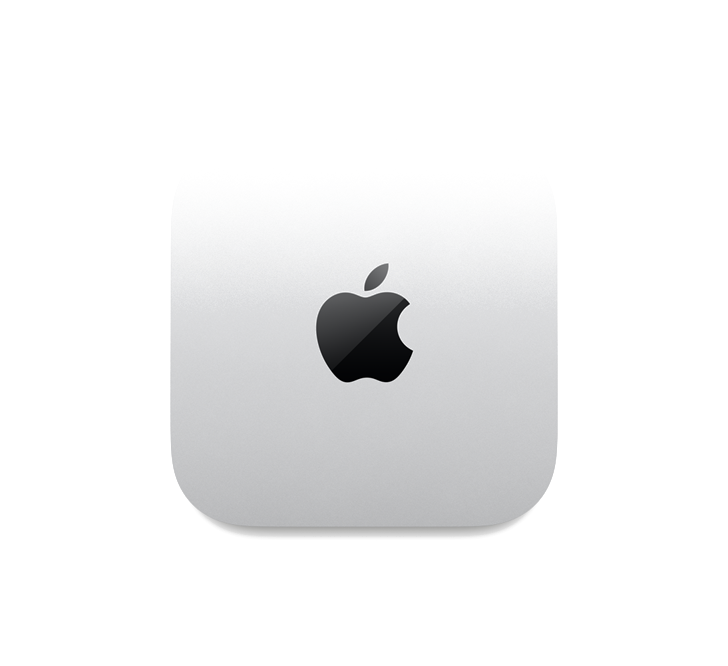
    Apple Mac mini M4 — top view of the compact 12.7 × 12.7 × 5 cm silver aluminium chassis with the embossed Apple logo
    Top · Compact 12.7 × 12.7 × 5 cm chassis

    Full hardware spec sheet

    5-page PDF with real photography of every plan, comparison table and what's included.

    New

    Mac Studio M4 Max

    Serious Apple silicon firepower for ML inference, rendering and heavy parallel builds.

    Studio M4 Max · 36 / 512

    • 14-core CPU · 32-core GPU
    • 36 GB unified memory
    • 512 GB NVMe
    • 1 Gbit/s + public IP

    355/mo

    Min. 3 months

    Studio M4 Max · 36 / 8TB

    • 14-core CPU · 32-core GPU
    • 36 GB unified memory
    • 8 TB NVMe
    • 1 Gbit/s + public IP

    755/mo

    Min. 3 months

    Studio M4 Max · 64 / 1TB

    • 16-core CPU · 40-core GPU
    • 64 GB unified memory
    • 1 TB NVMe
    • 1 Gbit/s + public IP

    578/mo

    Min. 3 months

    Studio M4 Max · 64 / 8TB

    • 16-core CPU · 40-core GPU
    • 64 GB unified memory
    • 8 TB NVMe
    • 1 Gbit/s + public IP

    866/mo

    Min. 3 months

    All prices exclude VAT. Hosted in NL (Amsterdam, Naaldwijk) — Frankfurt DE optional (+25%).

    #Mini vs Studio

    Compare Mac mini and Mac Studio side by side

    Pick any 3 configurations — mix Mac mini M4 and Mac Studio M4 Max freely — and see specs, GPU cores and pricing update live.

    Mac mini M4

    M4 · 16 / 1TB

    155/mo
    Lowest price

    Mac Studio M4 Max

    Studio M4 Max · 36 / 1TB

    409/mo
    SpecM4 · 16 / 1TBStudio M4 Max · 36 / 1TB
    FamilyMac mini M4Mac Studio M4 Max
    CPU cores10-core14-core
    GPU cores10-core (integrated)32-core
    Unified memory16 GB36 GB
    Storage1 TB NVMe1 TB NVMe
    Best forCI with large repos & DerivedDataHeavy CI · Blender / FCPX · Docker clusters
    Price
    155/mo
    Configure
    409/mo
    Configure

    Prices in EUR, excl. VAT. Yearly billing includes a 10% discount. Mac Studio configurations have a minimum 3-month commitment. Frankfurt (DE) adds +25%.

    #Backups

    Off-box backups — how they work

    Short answers to what backups protect against, how often they run, and what you get for your monthly fee. Need more capacity? Add extra 250 GB packs for €5/month.

    What are the backups for?+

    They protect against accidental deletion, ransomware, failed OS upgrades and disk-level corruption. Backups run off-box to a separate storage cluster in a different fire compartment, so a physical incident on your Mac never takes your backup with it.

    How often do backups run?+

    Daily, during the low-traffic maintenance window (03:00–05:00 CET by default — you can shift this in the portal). Backups are incremental after the first run and are verified with a checksum before the previous snapshot is marked replaceable.

    How long are backups retained?+

    We keep 14 daily snapshots, 4 weekly snapshots and 3 monthly snapshots on a rolling basis — roughly 90 days of history. Longer retention is available on request.

    How much storage is included?+

    Every backup add-on includes 250 GB of off-box capacity for €15/month. Need more? Add extra 250 GB packs for €5/month each — no commitment, adjust up or down from the portal.

    How do I restore?+

    Open the service in your portal, pick a snapshot from the timeline and either mount it as a read-only volume or trigger a full restore. Most restores complete within 30 minutes for typical workloads.

    Where are the backups stored?+

    In a separate storage cluster within the same EU jurisdiction as your Mac (Amsterdam, Naaldwijk or Frankfurt). Data never leaves the EU and is encrypted at rest with AES-256.